

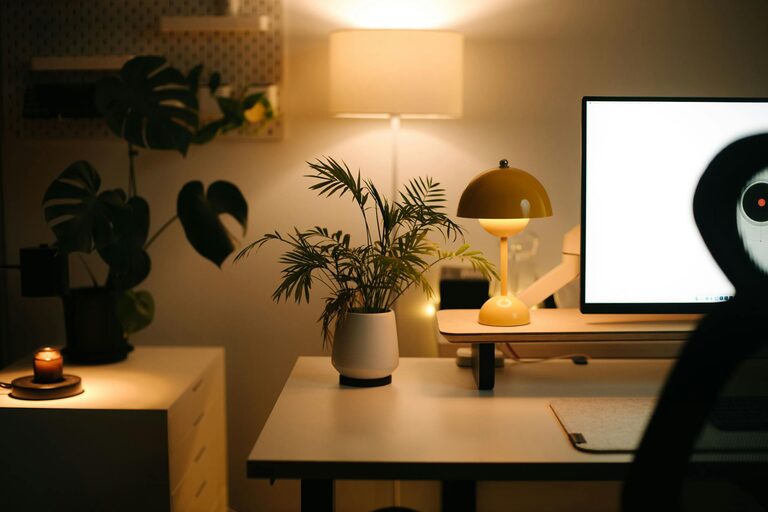
Creating a relaxing home workspace is essential for maintaining productivity and comfort, especially as many people work remotely or spend more time at their desks. A thoughtfully designed workspace can reduce stress, increase focus, and make your workday more enjoyable. In this post, we’ll explore practical tips to help you transform your home office into a calming and efficient environment.
Why a Relaxing Workspace Matters
Before diving into tips, it’s important to understand why comfort and relaxation are key to a productive workspace. When your environment feels cluttered or uncomfortable, it’s easy to become distracted or tired. A space that promotes calmness can improve concentration, reduce fatigue, and support overall well-being during work hours.
Choosing the Right Location
Find a Quiet Area
Select a spot in your home that minimizes noise and interruptions. Avoid high-traffic zones like the kitchen or living room if possible. A quiet location helps you focus and reduces stress.
Natural Light is a Plus
Try to position your desk near a window to benefit from natural light. Sunlight boosts mood and energy, making it easier to stay alert and motivated.
Ergonomics: Comfort Meets Health
Invest in a Good Chair
A comfortable, supportive chair can prevent back and neck pain. Look for adjustable features to tailor the fit to your body.
Desk Height and Monitor Position
Your desk should allow your elbows to rest at about a 90-degree angle when typing. Place your monitor at eye level to avoid strain on your neck.
Take Breaks and Stretch
Incorporate short breaks every hour to stand, move around, and stretch. This helps reduce tension and refreshes your mind.
Organize Your Space for Calmness
Declutter Regularly
Keep only essential items on your desk to reduce distractions. A tidy space helps clear your mind.
Use Storage Solutions
Shelves, drawers, and organizers keep supplies out of sight but easily accessible. This helps maintain an orderly environment.
Personalize with Soothing Elements
Add Plants
Indoor plants improve air quality and add a touch of nature, which can reduce stress and increase satisfaction.
Choose Calming Colors
Soft, neutral colors like blues, greens, or beige promote relaxation. Avoid overly bright or harsh tones that can cause agitation.
Incorporate Personal Touches
Family photos, artwork, or meaningful objects can create a pleasant and welcoming environment that motivates you.
Lighting and Ambiance
Use Adjustable Lighting
Combine natural light with adjustable artificial lighting. Desk lamps with dimming features allow you to set the right mood.
Control Noise Levels
Consider noise-canceling headphones or soft background music to mask distracting sounds and create a peaceful atmosphere.
Technology Tips
Manage Cables
Untangle and organize cables to keep your workspace neat and prevent frustration.
Use Efficient Tools
Choose reliable technology and software to streamline your work and reduce technical interruptions.
Establish Routine and Boundaries
Dedicated Work Hours
Set specific work times to create a clear boundary between work and personal life, helping you relax when work time ends.
Create Start and End Rituals
Small habits like tidying your desk before or after work can mentally separate your workday from home time.
Final Thoughts
Building a relaxing home workspace is about blending comfort, organization, and personal style to support your productivity and well-being. By paying attention to lighting, ergonomics, and atmosphere, you can create a space that helps you focus and feel at ease during your workday. Try implementing these tips gradually, and adjust based on your preferences and needs for the best results.