

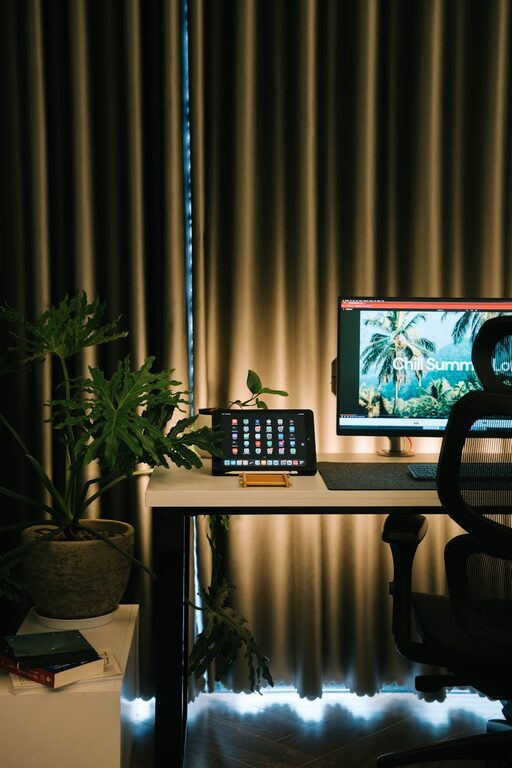
Creating a cozy and functional home workspace is key to maintaining productivity and comfort whether you work remotely full-time or just need a dedicated spot for occasional tasks. A well-designed workspace can boost your focus, reduce stress, and make work feel less like a chore. In this post, we’ll explore practical tips to help you set up a home office that meets your needs and feels inviting.
1. Choose the Right Location
Finding the perfect spot in your home is the first step. Consider:
– Natural Light: Try to pick an area with plenty of natural light. Sunlight helps boost mood and energy, making your workspace more pleasant.
– Quiet and Privacy: Look for a quiet corner or room where distractions are minimal. This can improve concentration, especially if you need to join meetings or calls.
– Space Size: Ensure there’s enough room for your desk, chair, and any equipment or supplies you need.
If space is limited, a small nook or even a well-organized closet can work well with some creativity.
2. Invest in Comfortable Furniture
Comfort is crucial for long work hours.
– Ergonomic Chair: Choose a chair that supports your back and encourages good posture. Adjustable height and lumbar support are important features.
– Desk: Select a desk that fits your space and offers enough surface area for your computer and essentials. Standing desks or adjustable desks can offer flexibility.
– Footrest and Accessories: If your feet don’t comfortably reach the floor, a footrest can improve posture and circulation.
Prioritize quality and comfort over style alone to prevent discomfort and fatigue.
3. Organize for Efficiency
A tidy workspace helps keep your mind clear.
– Storage Solutions: Use shelves, drawers, or organizers to keep supplies handy but out of sight. Labeling containers can make finding things easier.
– Cable Management: Use clips, sleeves, or under-desk trays to prevent cords from tangling.
– Minimalism: Keep your desktop uncluttered; only keep daily essentials visible to reduce distractions.
Design a system that suits your workflow, whether it’s color-coded folders or digital tools.
4. Personalize Your Environment
Your workspace should feel welcoming to you.
– Decor: Add photos, artwork, or plants that make you smile or calm your nerves. Greenery can also improve air quality.
– Lighting: Include adjustable task lighting to reduce eye strain and provide focus. Warm lights create a cozy atmosphere.
– Colors: Choose colors that inspire productivity or relaxation. Soft blues and greens are known for their calming effects.
Personal touches make your workspace uniquely yours and boost motivation.
5. Equip It with the Right Technology
Having the right tools helps work run smoothly.
– Reliable Internet: Ensure your space has a strong and stable Wi-Fi connection.
– Efficient Hardware: Invest in a good computer, keyboard, mouse, and monitor setup that reduces strain.
– Accessories: Consider noise-cancelling headphones, a webcam for video calls, and a printer if needed.
Keep your devices updated and backed up regularly to avoid technical issues.
6. Maintain Good Habits
Even the best setup benefits from positive routines.
– Breaks: Take regular breaks to stretch and rest your eyes. Try the 20-20-20 rule—every 20 minutes, look at something 20 feet away for 20 seconds.
– Work Hours: Establish consistent work hours to separate work and personal time.
– Clean Daily: Spend a few minutes tidying your workspace at the end of each day.
Routine helps maintain your space and your wellbeing.
Final Thoughts
Designing a home workspace that is cozy and functional doesn’t have to be expensive or complicated. By focusing on comfort, organization, personalization, and the right tools, you can create an environment that supports your work and enhances your mood. Remember, the best workspace is one that adapts to your unique needs, so don’t hesitate to experiment until you find what works best for you. Happy working!