

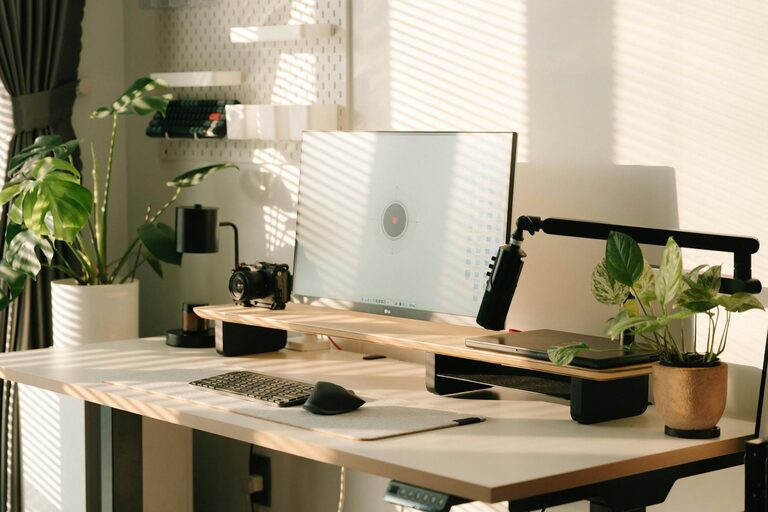
Creating a productive home office environment is essential for anyone working remotely or managing tasks from home. A well-organized and comfortable workspace can improve focus, reduce stress, and enhance your overall work performance. Whether you have a dedicated room or a small corner, these tips will help you design an effective home office that suits your needs.
1. Choose the Right Location
Selecting the right spot in your home is the first step in creating a productive office space. Ideally, choose a quiet area with minimal distractions. If possible, pick a room away from heavy foot traffic or household noise.
Consider Natural Light
Natural light has been shown to improve mood and energy levels. Set up your desk near a window to take advantage of daylight. If natural light is limited, opt for bright, cool-toned artificial lighting to keep your workspace vibrant and inviting.
2. Invest in Ergonomic Furniture
Comfort is key when spending hours at your desk. Ergonomic furniture supports good posture, helps prevent pain, and increases productivity.
– Chair: Choose a chair with adjustable height and lumbar support.
– Desk: Select a desk at the right height to keep your arms at a 90-degree angle.
– Monitor Stand: Raise your monitor to eye level to reduce neck strain.
If a full ergonomic setup isn’t possible, small adjustments like using a footrest or keyboard tray can make a big difference.
3. Keep Your Workspace Organized
Clutter can distract you and decrease efficiency. Organize your space with practical storage solutions.
– Use shelves or filing cabinets for papers and supplies.
– Keep only essential items on your desk.
– Use cable organizers to manage cords and devices.
– Regularly declutter and clean your workspace to maintain order.
4. Personalize Your Workspace
Adding personal touches can make your office feel inviting and motivate you throughout the day.
– Include plants for a splash of greenery and improved air quality.
– Display photos, artwork, or inspiring quotes.
– Use desk accessories that reflect your style but are functional.
Just be mindful not to overcrowd your workspace with too many decorations.
5. Manage Noise and Distractions
Distractions can hinder your concentration. Employ strategies to manage noise and limit interruptions.
– Use noise-canceling headphones or white noise machines.
– Inform family or housemates of your work schedule and boundaries.
– Turn off non-essential notifications on your devices.
– Consider apps or tools designed to block distracting websites during work hours.
6. Optimize Technology and Connectivity
Reliable technology is crucial for a smooth workflow.
– Ensure your internet connection is strong and stable.
– Invest in quality peripherals such as a keyboard, mouse, and headset.
– Keep your software updated and backed up.
– Organize digital files systematically for easy access.
7. Establish Routines and Breaks
A productive environment extends beyond physical space—it also includes habits.
– Set regular work hours to create structure.
– Plan short breaks to stretch and move around every hour.
– Use techniques like the Pomodoro method to maintain focus.
– End your day by tidying your workspace, signaling that work time is over.
8. Consider Air Quality and Temperature
Comfortable air quality and temperature foster concentration and well-being.
– Ventilate your workspace regularly.
– Use air purifiers if necessary.
– Adjust heating or cooling to a comfortable level.
Final Thoughts
Creating a productive home office requires thoughtful planning and personalization. By focusing on location, comfort, organization, and habits, you can build a workspace that supports your best work. Start with small changes and adjust based on your experience until you find the perfect balance for your productivity and comfort.